3.8
Free
Google Hangouts Chrome Extension
Connect with more people with Hangouts

What will happen when you click Free Download?
Free
Windows
Other platforms (4)Windows Vista
English
2.4M

Instant messaging tool

PMsn Estados: A Free Messaging Tool for Windows

Overlook your employees' MSN chats

Enhance Your Messaging with StuffPlug NG

When social networking meets corporate communication

A free program for Windows, by Rocket.Chat.

A great social-messaging and calling app

Free-off-charge social communication platform for Windows
Though some features will cost money to use, Hangouts itself does not cost anything. Users can use the messaging services, voip calls, and video chat without paying (though they will need a Google account). Calls to landlines or mobiles do cost. Calls to the US and Canada are not charged.
The app itself, as long as downloaded from the official Google source, is perfectly safe in terms of viruses, malware, and other malicious software. With regards to using the app, one should always exercise sensible practices when dealing any Internet application, and children should be supervised when using messaging services.
While Google does offer end to end encryption in some of its other messaging platforms, this app still lacks this feature. End to end encryption means that the information sent, even if intercepted, can not be easily understood, if at all. It is often seen as a valuable security measure.
The app gives users the option of both public and private conversations. If private, the conversation is just between the participates and is invite-only. Public, meanwhile, can be watched or listened to by anyone who wishes. In public chats, viewers can also be invited to join in with the conversation.
This app is not a dating app, but a communication platform. It can, however, be used to facilitate online dating. It can be used as a quick and easy way of having a face to face conversation with someone before meeting them in person. But its intended use is chat.
Google have released a version of the app for the Apple App Store. This app works on both iPhones and iPads, and provides the same features as the desktop and Android alternatives. The iPhone app also allows you to sync across platforms, so you can receive your notifications regardless of your device.
When sending SMS/MMS messages on a device connected to a cellular network, the app will use your phone plan. When using other services, such as text chat or video conference, it will use data. For this reason, it is important to keep track of usage when using more data intensive features.
Hangouts does save messages. Chats in this application can be viewed in the app and in Gmail, across all devices, a feature that requires messages to be saved. It is possible to delete this information in settings. Deleting your message history will also mean you can no longer view older messages.
Technically speaking, the app itself is not specifically prevented from working in China. However, a number of Google domains are blocked in China, and this prevents the application from working. There are ways around this problem, such as VPNs, however caution should be used as workarounds may well be illegal.
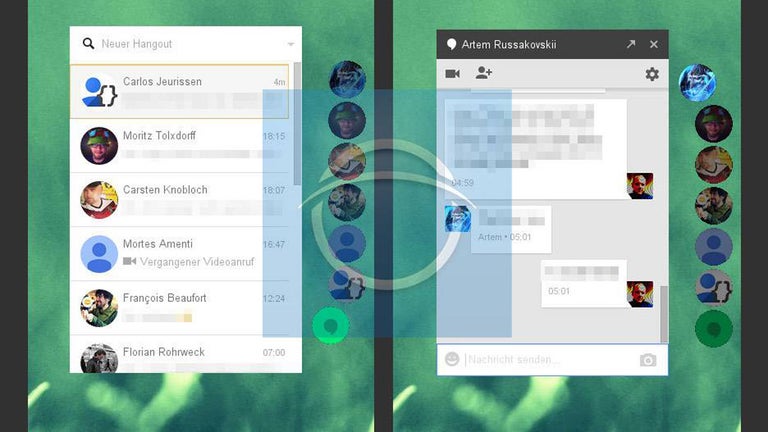
Starting a video call in the app is simple. First, open the app and ensure you are logged in. Next, hit the + button to start a new conversation. You should be asked to select the participants you wish to invite to chat. Finally, hit the Video Call button and you're done.

The popular chat app from China gets an English version

Social avatar world for creative interaction

Free softphone application

Open-source Telegram client for PC

Turn your GoPro into a webcam

WhatsApp bulk sending app

Efficient Communication with Pamela for Skype

Comprehensive Review of AdiIRC IRC Client

Free Windows Chat Application for IRC

Ubuntu Human Messenger: A Free Chat Application

Juerguistaz IRC: Enhanced Chat Experience

VZOChat: A Versatile Instant Messaging Tool